
Bluetooth Vibrators: Range, Pairing, and Fixing Dropouts
Learn how Bluetooth Vibrators work: realistic range expectations, step-by-step pairing, and proven fixes for connection dropouts and interference.
 Zoe Clarke
Introduction
Bluetooth vibrators are the toys your group chat won't shut up about — and for good reason. They let you hand control to a partner across the room (or across the country), queue up custom patterns in an app, and skip the wire-tangling mess of older remote-controlled toys. The pitch is seamless: pair it once, control it from your phone, done.
The reality is a little messier. Bluetooth vibrators work great when they work, but they drop connections, refuse to pair for no obvious reason, and have range limits that most product pages gloss over. If you've ever had a toy disconnect mid-session or spent ten minutes trying to get your phone to see the device, you know the problem.
This guide is the fix. We're covering realistic range expectations (not the marketing numbers), the actual pairing process that works, and the proven troubleshooting steps for dropouts and interference. No fluff, no talk about personal experiences — just the technical details you need to make Bluetooth vibrators work the way they're supposed to.
The Problem with Bluetooth Vibrators
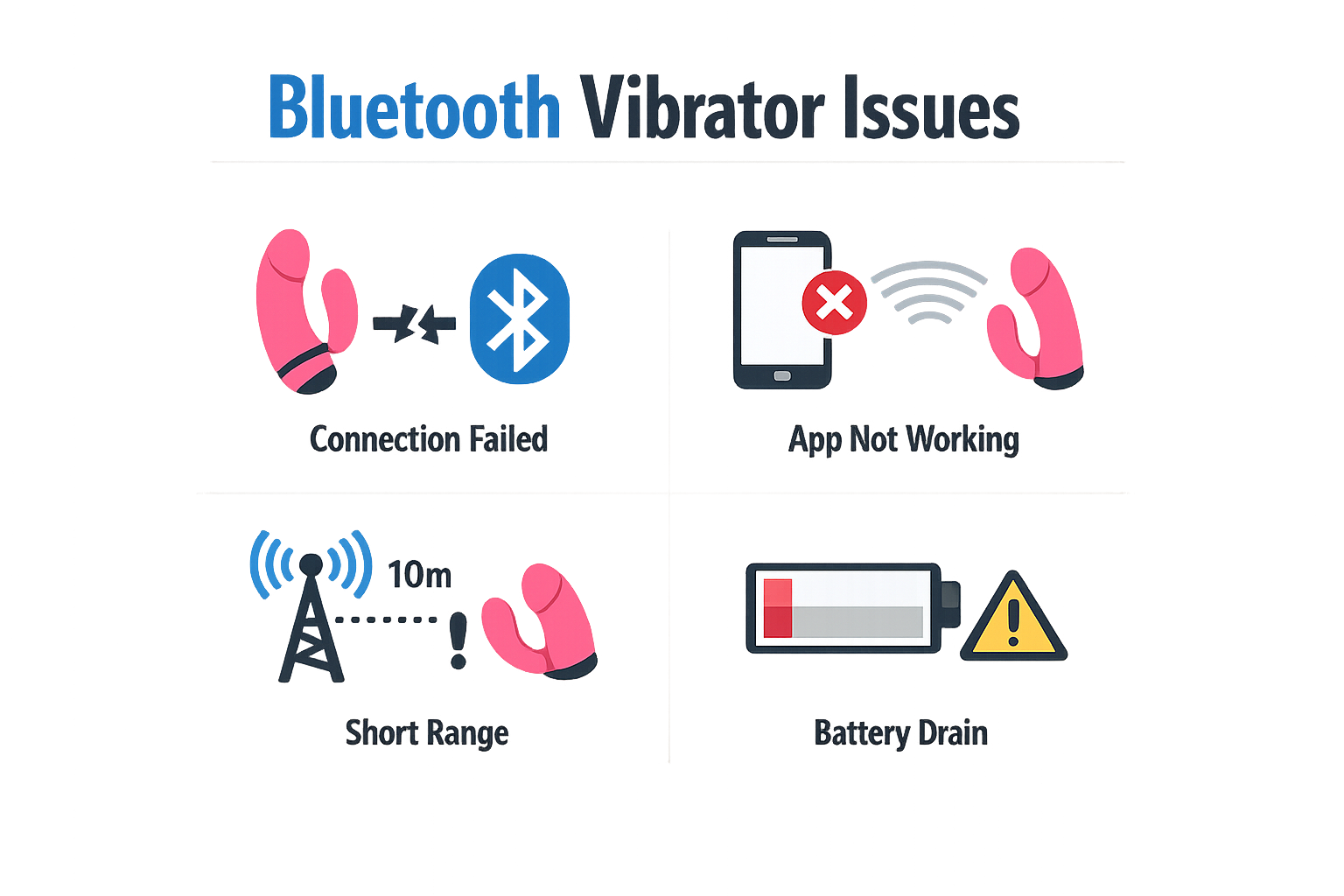
Bluetooth vibrators promise hands-free control and long-distance play, but the reality is messier than the marketing. Connection dropouts happen mid-session, pairing fails for no obvious reason, and the range is shorter than most people expect. If you've ever had a toy disconnect right when things were getting good, you know exactly what I'm talking about.
What Actually Goes Wrong
The most common complaint is range. Most Bluetooth vibrators work reliably within 10 feet (3 meters), but that's under ideal conditions — no walls, no interference, no other devices competing for signal. Move the toy or your phone outside that bubble, or put something dense between them, and the connection drops.
Pairing issues are the second-biggest frustration. You hold the button, the toy vibrates twice to confirm pairing mode, you open the app — and nothing happens. Sometimes the toy shows up in your phone's Bluetooth settings but won't connect to the app. Other times it pairs once and then refuses to reconnect the next time you try.
Dropouts during use are the worst. The toy loses connection, the app freezes, and you're left scrambling to reconnect while the moment evaporates. Common causes: the phone went to sleep and backgrounded the app, the toy drifted out of range, or something interfered with the signal. Android users face an extra layer of annoyance — battery optimization settings can kill the app's Bluetooth connection without warning.
Why the Tech Struggles
Bluetooth wasn't designed for this. It's a short-range protocol built for headphones and keyboards, not for toys that move, get covered by blankets, or operate in rooms with a dozen other wireless devices. The signal doesn't penetrate walls well, and human bodies are surprisingly good at blocking it. If you're using a wearable toy like a butterfly vibrator under clothing, your own body becomes an obstacle.
The app side matters too. If your phone is handling notifications, running background processes, or connected to multiple Bluetooth devices, the vibrator's connection gets deprioritized. On Android, aggressive battery-saving features will put the app to sleep mid-session if you don't disable them first.
The 10-foot range manufacturers advertise assumes a clear line of sight and zero interference — conditions that basically never exist in real use.
Some of this is fixable with better setup and troubleshooting. Some of it is just the inherent limitations of the technology. Either way, knowing what's actually causing the problem makes it easier to work around.
Steps to Ensure a Smooth Bluetooth Experience
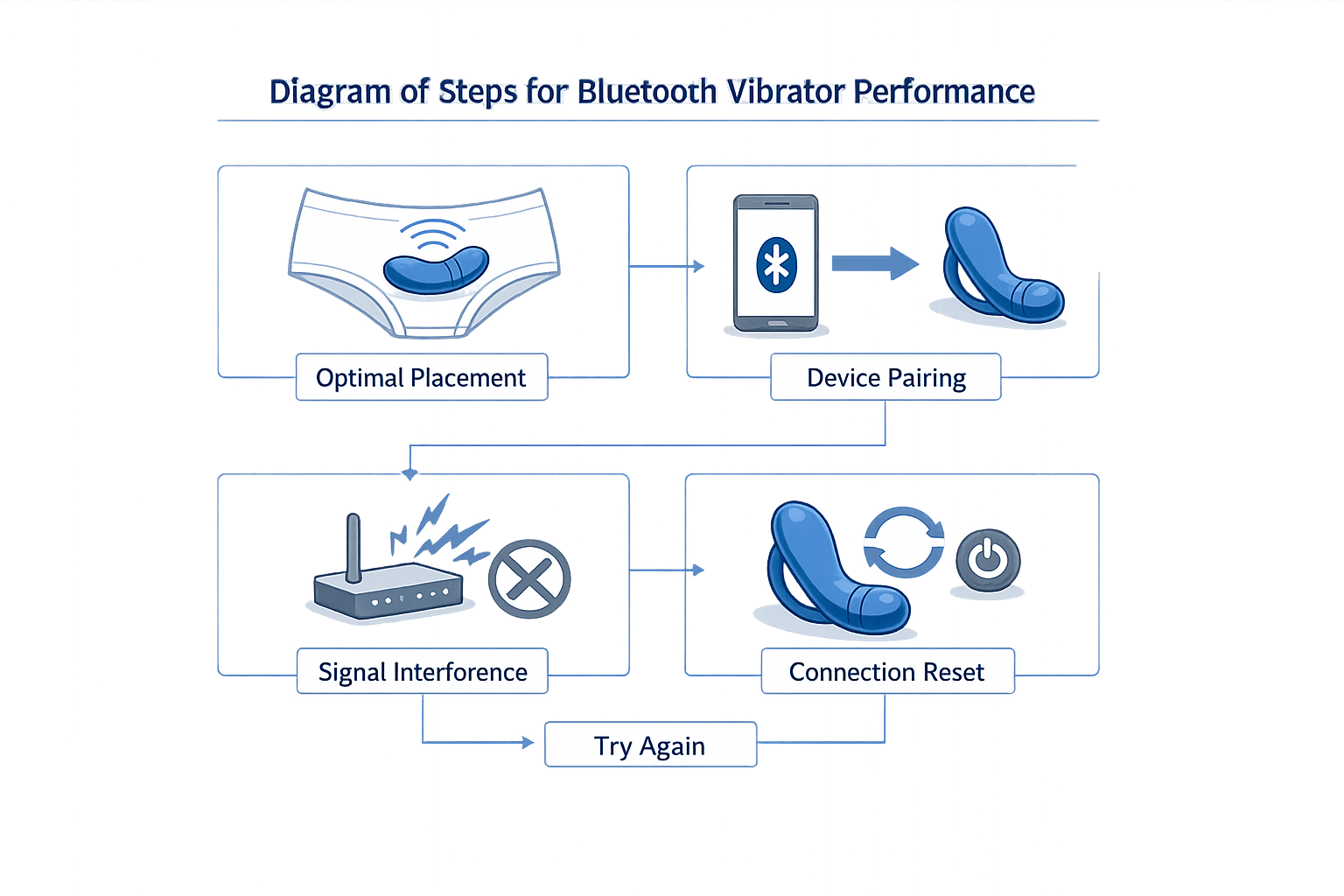
Most Bluetooth vibrator problems come down to range, interference, or pairing that never finished right in the first place. The good news: you can fix almost all of it with a few deliberate steps. Here's what actually works.
Step 1: Pair correctly from the start
Most people skip the manual and assume Bluetooth toys pair like headphones. They don't. Most app-controlled vibrators require you to hold the power button for 5 seconds until you feel two pulses — that's pairing mode. If you just turn it on and open the app, it won't connect.
Step 1
Put the toy in pairing mode
Hold the control button on the vibrator for 5 seconds. You should feel two distinct pulses or see an LED flash pattern. If nothing happens, the toy might already be paired to another device — in that case, reset it first (hold the button for 10 seconds until you see three LED flashes).
Step 2
Turn off competing Bluetooth devices
Wireless headphones, speakers, smartwatches — all of these weaken the connection. Turn them off or disable Bluetooth on devices you're not using. Your phone can only juggle so many signals at once.
Step 3
Open the app and follow the pairing prompts
Don't skip screens. The app will walk you through granting Bluetooth permissions (required on both iOS and Android). If the toy doesn't appear in the app's device list, force-close the app and reopen it — sometimes the scan times out.
Step 2: Stay within realistic range
The marketing says "long-distance control." The reality is 10 feet (3 meters) with a clear line of sight. Walls, furniture, and your own body all interfere with the signal. If you're using a wearable toy like a butterfly vibrator under clothing, expect the range to drop further — fabric and body mass both block Bluetooth.
Step 3: Prevent app background interference
Android phones are notorious for killing app connections to save battery. If your toy keeps dropping mid-session, it's probably your phone's battery optimization putting the app to sleep.
Step 4
Disable battery optimization for the toy's app
Go to Settings > Battery > Battery Optimization (the exact path varies by manufacturer). Find the vibrator's app and set it to "Don't optimize." Also check if the app appears in your phone's "Sleeping apps" list and remove it.
iOS handles this better, but if you're switching between apps frequently, the connection can still drop. Keep the toy's app in the foreground during use — putting it in the background weakens the signal.
Step 4: Avoid physical obstructions
Bluetooth signals don't bend around corners or pass through metal. If you're in a room with a lot of electronics (TV, router, microwave), move closer to the toy or reposition your phone. Water also interferes — if you're using a waterproof toy in the bath, keep your phone dry and within arm's reach, not across the room.
Step 5: Reset and re-pair if the connection is unstable
If you've done all of the above and the toy still drops, reset it. Hold the control button for 10 seconds — you'll feel two pulses at 5 seconds (pairing mode) and see three LED flashes at 10 seconds (reset confirmed). Then go into your phone's Bluetooth settings, forget the device, and pair it fresh through the app.
Tips and Tricks for Using Bluetooth Vibrators
Once you've got the basics down, here's what actually makes the difference between a frustrating night and one where everything just works.
Use Water-Based Lube Only
Bluetooth vibrators are almost always silicone, and silicone lube degrades silicone toys. Stick with water-based — it's compatible with every material, cleans up easily, and won't wreck your investment. If you're using a clit stimulator or G-spot vibe, a little lube goes a long way for comfort and glide.
Clean It Right After Every Use
Warm soapy water or a dedicated toy cleaner — that's it. Most Bluetooth vibes are waterproof, so rinsing is easy. Just avoid submerging the charging port if it's not fully sealed, and let it air-dry before you toss it back in the drawer. Clean toys last longer and don't carry over bacteria between sessions.
Hand Off the Remote (or App) to a Partner
One of the best features of Bluetooth vibrators is the ability to give someone else control. Some models have a physical remote with a range of about 30 feet; others use an app that works from across the room or even across the world. If you're experimenting with power dynamics or long-distance play, handing over the controls is where Bluetooth really earns its keep.
Charge It Before You Need It
Bluetooth drains battery faster than a standard vibe. If you're planning a session — especially one involving app control or extended use — charge it fully beforehand. Most models take 1–2 hours to charge and give you 1–2 hours of runtime, but that drops fast if you're using higher settings or streaming control data.
Store It Away from Other Silicone Toys
Silicone can react with other silicone if they're touching for long periods. Store your Bluetooth vibe separately, ideally in its original pouch or a dedicated toy bag. This keeps it clean, prevents surface degradation, and makes it easier to grab when you're in the mood.
Conclusion
Bluetooth vibrators aren't perfect — the range is shorter than you think, the pairing process can be finicky, and dropouts happen when you least want them to. But once you understand how the tech actually works (and what causes most connection issues), they're a lot less frustrating.
The real benefit isn't the novelty — it's the control. Being able to adjust intensity without fumbling with buttons, or handing off control to a partner, makes Bluetooth worth the occasional reconnect. Just keep your expectations realistic: 10–15 feet of reliable range, not the 30 feet the box promises. And if you're planning to use it through walls or in a room full of Wi-Fi devices, expect to troubleshoot.
Most of the problems people run into are fixable — clearing old pairings, keeping firmware updated, and understanding that your phone's Bluetooth settings matter as much as the toy's. The toys that survive past the first charge cycle are the ones from manufacturers who actually update their apps and respond when things break.
If you're curious about other hands-free or remote-control options, butterfly vibrators offer a different take on the same control-at-a-distance concept, minus the app dependency.
Bluetooth vibrators work when you treat them like any other Bluetooth device — which means they're occasionally annoying, but mostly reliable once you've done the setup correctly. And that's about as good as wireless anything gets.