
Vibrator Not Charging? Here's Your Troubleshooting Checklist
Is your vibrator not charging? Check out this troubleshooting checklist to find out how to fix common issues and get back to pleasure.
 Zoe Clarke
Introduction
Your vibrator died mid-session, and now it won't charge. The little LED that's supposed to glow red when you plug it in? Nothing. You've tried three different outlets, wiggled the cable, and said a small prayer to the sex-toy gods — still dead.
Here's the thing: a vibrator not charging doesn't automatically mean it's toast. Most charging issues are fixable, and the fix is usually simpler than you think. Dirty charging contacts, a wonky USB cable, or a battery that went into hibernation mode after sitting in your drawer for six months — these are the usual suspects, not a bricked motor.
This checklist walks you through the actual troubleshooting steps that work, in the order that makes sense. No fluff, no "have you tried turning it off and on again" nonsense. If you're looking for more ways to enhance your experience once your toy is back in action, check out our guide on clit stimulators to explore different stimulation types.
Most rechargeable vibrators use lithium-ion batteries, and those batteries have quirks. They don't like being stored at 0% charge, they sometimes need a "wake-up" cycle if they've been dormant too long, and they're sensitive to temperature extremes. The good news: once you know what you're looking for, you can usually get the thing charging again in under ten minutes.
Let's figure out what's actually wrong and get you back to what you were doing.
What Causes a Vibrator Not Charging?
Your vibrator won't charge, and that's not a small inconvenience — it's the difference between a working toy and a $60 paperweight. Most of the time, it's not the battery that's dead; it's something simpler. A charging port full of lint. A cable that's been in the bottom of a drawer for three years. A device that's been sitting unused long enough that the battery fully discharged and now refuses to wake up.
The Most Common Culprits
Here's what actually goes wrong:
- The charging cable isn't making contact. Magnetic chargers are convenient until they're not — they snap on crooked, collect dust, or the pins corrode. USB cables fray at the bend point. Both fail silently.
- The battery discharged completely. If your toy sat in a drawer for months, environmental factors can drain the battery to zero. Once it hits that point, some devices need a longer initial charge cycle to recover — they won't show any sign of life for the first 20–30 minutes plugged in.
- The charging indicator is lying to you. A flashing LED doesn't always mean "charging in progress." On some models, it means "battery critically low" or "charging error." The manual usually clarifies this, but most people don't keep the manual.
- The port is dirty. Lube residue, dust, and pocket lint build up in charging ports faster than you'd think. A clogged port won't seat the cable properly, and the device won't charge.
The frustration isn't just that the toy doesn't work. It's that you can't tell why it doesn't work, and most troubleshooting advice online assumes you're dealing with a high-end rechargeable when you might be staring at a $25 bullet that uses a proprietary cable you can't replace.
Solution Steps
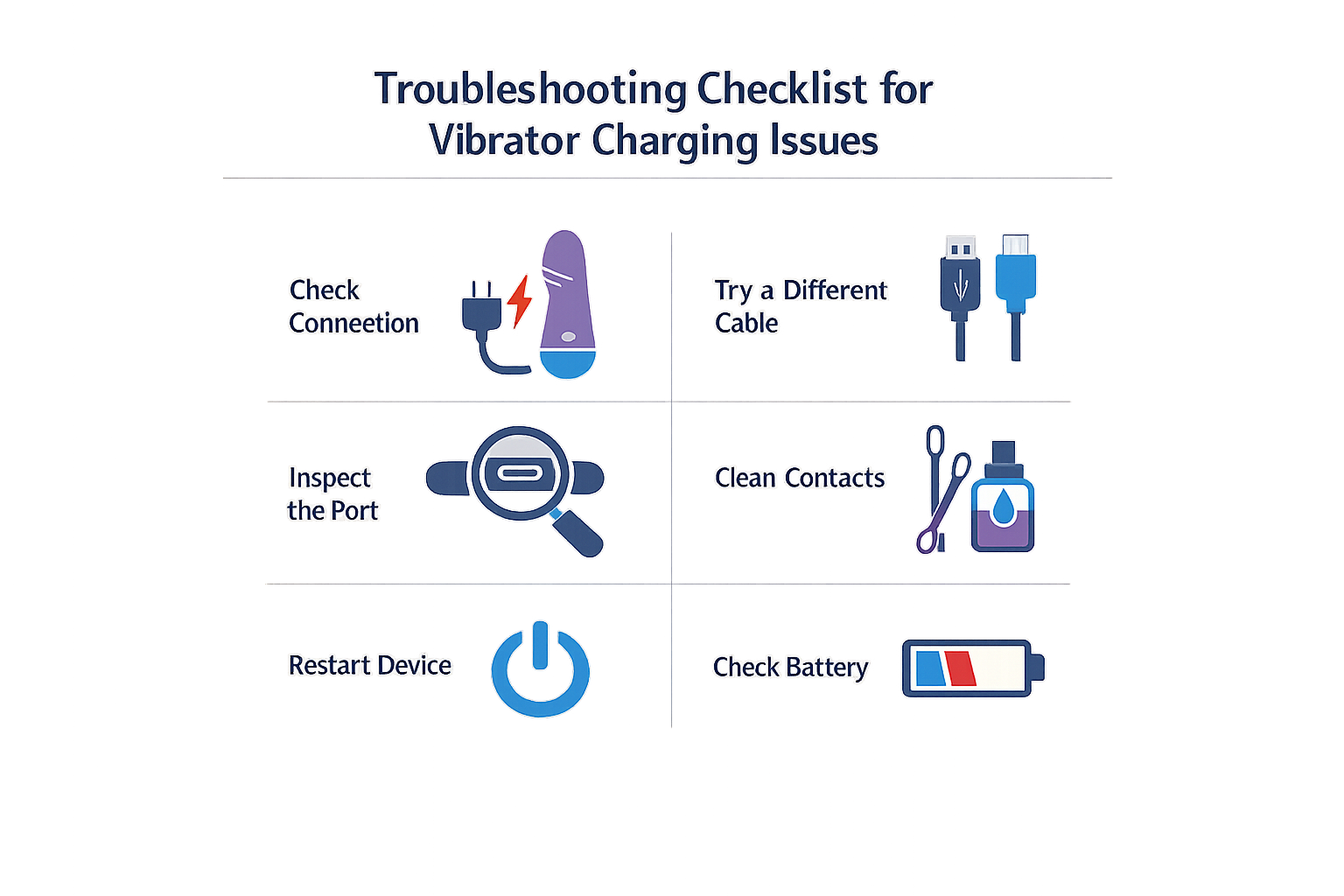
Here's the actual checklist — the one that fixes most charging issues without you needing to contact customer service or toss the toy.
Step 1: Check the Basics First
Before you assume the toy is dead, confirm the obvious stuff. Make sure the charging cable is plugged into a working outlet — not a USB hub that's half-asleep, not a laptop that's in power-save mode, just a standard wall outlet. Use the cable that came with the toy if you still have it. Generic USB cables work sometimes, but manufacturer cables are built for the specific charging contact layout your toy uses.
If the LED light doesn't turn on when you plug it in, wait 2–3 minutes. Toys that have been sitting uncharged for weeks or months can take a few minutes to wake up enough to show a charging indicator.
Step 1
Verify power source and cable
Plug the charging cable into a standard 100–240V wall outlet, not a USB hub or low-power port. Use the original cable if possible. If there's no LED response, leave it connected for 2–3 minutes before assuming it's dead.
Step 2: Clean the Charging Contacts
This is the fix that works more often than it should. Charging contacts — the metal points where the cable meets the toy — collect lube residue, dust, and body oils. Even a thin film is enough to block the connection.
Wipe both the toy's charging port and the cable's contact points with rubbing alcohol on a cotton swab or damp cloth. Let everything dry completely, then reconnect. For magnetic chargers, make sure the magnets snap into place with a solid click — if they're sliding around or sitting loose, the alignment is off.
Step 3: Ensure the Toy and Cable Are Dry
Water and charging don't mix, even on waterproof toys. If you just washed the toy or used it in the shower, dry both the toy and the charging cable completely before plugging in. Water in the charging port can prevent contact or, worse, short the connection.
Pat the charging area dry with a lint-free cloth, then let it air out for a few minutes. Don't try to charge a toy that's still damp.
Step 2
Dry everything before charging
After washing or water use, dry the toy and charging cable thoroughly. Water in the charging port blocks the connection and can damage the contacts. Let the toy air-dry for a few minutes before attempting to charge.
Step 4: Check the Charging Indicator Lights
Most rechargeable toys have an LED that shows charging status — usually red or blinking while charging, solid or off when full. If the light isn't doing anything, the toy might not be making contact with the cable, or the battery might be completely drained.
If the light is on but the toy still won't turn on after a full charge cycle, the battery itself might be dead. Lithium-ion batteries degrade over time, especially if the toy sat unused for months. There's no DIY fix for a dead battery in most toys — that's a warranty claim or a replacement.
Step 5: Try a Different Charging Surface
Some toys charge better on a flat, stable surface. If you're charging on a soft bed or uneven counter, the cable might shift and lose contact partway through the charge cycle. Move the toy to a flat surface, reconnect the cable, and let it sit undisturbed.
For toys with charging pins (the kind that insert into a small port), make sure the pin is fully inserted and twisted slightly to ensure good contact. A loose pin won't charge the toy even if the LED is on.
Step 3
Stabilize the charging setup
Place the toy on a flat, stable surface during charging. For pin-style chargers, insert the pin fully and twist it gently to confirm solid contact. A loose or wobbly connection won't charge the battery even if the indicator light is on.
Step 6: Leave It Charging Longer Than You Think
If the toy has been sitting dead for weeks, the battery might need an extended first charge to recover. Leave it plugged in for 24 hours, even if the manual says 2–3 hours is enough. Deeply discharged lithium-ion batteries sometimes need a long, slow charge to come back.
If after 24 hours there's still no response — no LED, no vibration when you press the power button — the toy is likely done. That's a warranty issue if it's still covered, or a replacement if it's not. If you're curious about other vibrator options that hold a charge better, we've got a guide for that too.
Tips and Tricks
Once you've got your vibrator charging again, a few maintenance habits will keep it from dying on you mid-session.
Keep the Charging Contacts Clean
Dirt, lube residue, and body oils build up on charging contacts faster than you'd think. Wipe both the toy's contacts and the cable's contacts with rubbing alcohol once a month — it takes ten seconds and prevents half the "won't charge" panic later.
If your toy uses magnetic charging, those little metal circles are magnets for lint and dust. A quick wipe before you plug in keeps the connection solid.
Charge on a Flat Surface
Magnetic chargers and pin chargers both rely on stable contact. Charging your toy on a wobbly nightstand or a pile of laundry means the cable can shift and lose connection partway through. Use a flat, stable surface — your desk, a shelf, the bathroom counter.
If the toy has a magnetic charging cable, let the magnets do the work. Don't force the alignment; if it snaps into place, it's seated correctly.
Don't Drain the Battery Before Recharging
Older rechargeable devices needed a full drain-and-charge cycle to keep the battery healthy. Modern vibrators use lithium polymer batteries, and those work better when you top them off regularly instead of running them to zero. Charge whenever it's convenient — you're not damaging anything by plugging in early.
Store It Somewhere Dry
Moisture is the enemy of charging ports. If you store your toy in a humid bathroom or a drawer that gets damp, corrosion can creep into the charging contacts and kill the connection. Keep it in a dry spot, ideally in a storage bag or case.
If you live somewhere humid, toss a silica gel packet in the storage bag. It's cheap insurance.
Use the Right USB Power Source
Not all USB ports deliver the same power. A laptop USB port or a low-wattage phone charger might trickle-charge your toy slowly or not at all. If charging feels slow, try a wall adapter rated for at least 5V/1A — most modern phone chargers work fine.
Avoid charging from a USB hub or a power strip with a built-in USB port unless you know it's rated for device charging. Some of those ports are data-only and won't deliver enough current.
A vibrator that charges reliably is a vibrator you'll actually use — maintenance beats replacement every time.
Replace the Cable If It's Fraying
Charging cables don't last forever. If the cable jacket is cracked, the wire is exposed, or the connector feels loose, replace it. Most manufacturers sell replacement cables, and third-party options exist for standard USB charging — just make sure the connector type matches (magnetic disc, pin, micro-USB, etc.).
A fraying cable is a fire risk and a charging headache. Don't wait until it stops working entirely.
Frequently asked questions
Why is my vibrator not charging even though the light is on?
The charging light indicates the cable is connected, but it doesn't guarantee the battery is actually receiving power. If the light is on but the toy won't turn on after several hours, the battery itself may be dead, the charging contacts might be dirty, or the cable could be delivering insufficient current. Clean the contacts with rubbing alcohol, try a different USB power adapter (5V/1A minimum), and leave it charging for 24 hours. If it still doesn't work, contact the manufacturer.
How long should I charge a vibrator that won't turn on?
If your vibrator not charging issue stems from a completely drained battery, leave it plugged in for at least 24 hours. Lithium-ion batteries that have been sitting dead for weeks or months sometimes need an extended first charge to recover. Even if the manual says 2–3 hours is enough, a deeply discharged battery may require longer. If there's no response after 24 hours, the battery is likely dead.
Can I use any USB cable to charge my vibrator?
Not always. Many vibrators use proprietary magnetic or pin-style charging cables designed for their specific contact layout. Generic USB cables might physically fit but won't make proper contact. Always use the cable that came with the toy if possible. If you've lost it, contact the manufacturer for a replacement — third-party cables work only if the connector type is a standard micro-USB or USB-C port.
What does it mean when my vibrator's charging light blinks?
A blinking charging light can mean different things depending on the brand. On some models, it indicates the battery is charging normally. On others, it signals a critically low battery or a charging error. Check your toy's manual or the manufacturer's website for the specific LED pattern meanings. If the light blinks rapidly or in an unusual pattern, the charging circuit may have detected a problem.
How do I know if my vibrator's battery is dead for good?
If you've cleaned the contacts, tried multiple cables and power sources, and left the toy charging for 24 hours with no LED response or power-on function, the battery is likely dead. Lithium-ion batteries degrade over time, especially if the toy sat unused for months at 0% charge. Most vibrator batteries aren't user-replaceable, so a dead battery means a warranty claim or a replacement purchase. For alternative options, check out our guide to clit suckers or butterfly vibrators.
Can extreme temperatures affect vibrator charging?
Yes. Lithium-ion batteries don't charge properly in very cold or very hot environments. If you store your toy in a cold garage or a hot car, bring it to room temperature before attempting to charge. Charging a cold battery can damage it, and a hot battery may refuse to accept a charge as a safety measure. Let the toy sit at room temperature for 30 minutes, then try charging again.
Conclusion
A vibrator not charging is annoying, but it's rarely the end of the story. Most charging issues come down to dirty contacts, a dead power source, or a cable that's seen better days — all fixable without contacting customer service or buying a replacement.
The troubleshooting checklist in this guide covers the most common culprits: cleaning the charging points, checking your USB adapter, testing a different cable, and giving a completely dead battery time to wake up. If you've worked through those steps and the toy still won't charge, that's when you loop in the manufacturer. Most brands will replace a defective unit within the warranty window, especially if you bought it from a legit retailer.
Keeping your vibrator charging reliably isn't complicated — wipe the contacts after every few uses, store it somewhere dry, and don't let it sit dead for months. Do that, and you'll spend a lot less time troubleshooting and a lot more time using the thing. For more on choosing toys that hold up to regular use, check out our guide to tongue vibrators — because a toy that charges reliably is half the battle.